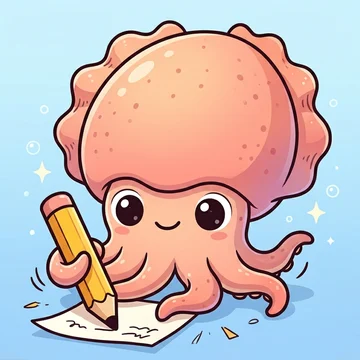
Mo Mo app icon: Inky the little cuttlefish writing with a pencil Coming soon

Mo Mo 墨默

Chinese and English dictation, revision and marking for Hong Kong primary school

Mo Mo is a dictation app made for Hong Kong primary school children: the app reads the words aloud, children write by hand in Chinese writing grids, parents mark with a red pen, and mistakes are recorded automatically. All data stays on your device.

  • Free
  • No ads
  • No sign-in
  • iPad · iPhone
Still to add: App Store link and App Store screenshots. The App Store button link is a placeholder for now.

Helping your child with dictation, without the evening rush

Parents enter the dictation list. Mo Mo reads it aloud in Cantonese, Mandarin or English, and children write their answers by hand in Chinese writing grids or English four-line paper. After they hand in, a parent enters a passcode to mark: tap the correct answer to flag wrong characters, missing words, extra words or wrong punctuation, and the app takes off marks automatically. Mistakes go straight into a mistake book, ready to practise again with one tap. Long dictations can be split into parts, and the full dictation unlocks once every part is passed. Mo Mo needs no sign-in, shows no ads and collects no data.

Dictation every night

Parents read out each word, check the answers and add up the marks. It takes time and things get missed.

Mistakes everywhere

Wrong characters are scattered across dictation books, so they are hard to revise together.

Too much at once

A long dictation in one go can leave children discouraged.

Worried about data

Many apps need an account, show ads or upload children's data to a server.

Get started in 3 steps

  1. 1Enter the dictation

    Type it in or take a photo of words, sentences or a passage. Choose read-aloud or from-memory dictation.

  2. 2Your child writes

    The app reads the content aloud and your child writes by hand in the grid, then hands it in.

  3. 3You mark it

    Enter your passcode and mark the mistakes. Scores add up automatically, mistakes go into the mistake book, and one tap starts a retest.

What's in version 1.0

Dictation

  • Words, sentences and passages. Sentences and passages can have pause points, so they are read section by section, punctuation included.
  • Listen and write (the app reads aloud) or write from memory (no reading, only hints on screen).
  • Adjustable reading speed, number of repeats and gap between readings.
  • Chinese writing paper in large, medium or small grids, or manuscript paper, chosen by grade. English uses four-line paper. Passages can extend downwards to keep writing.
  • Chinese text uses a Kai-style typeface that follows the character forms in the Hong Kong Education Bureau's List of Graphemes of Commonly-Used Chinese Characters.
  • Left- or right-handed writing settings, and an option to write with Apple Pencil only.

Parent marking

  • After hand-in, an hourglass icon appears on the home screen. A parent enters a 4-digit passcode to mark, so children cannot see the answers.
  • Your child's handwriting is on the left and the correct answer, in large text, on the right.
  • Mark directly on the correct answer and the app takes off marks automatically. Deductions can be set for each dictation: Wrong characterMissingExtra #Punctuation
  • The red pen works on its own layer, so it never erases your child's writing.

Dictation in parts

  • Split one dictation into several sessions, for example 10 words in two parts of 5.
  • Parents decide which part each word belongs to.
  • After marking each part, a parent marks it as passed. The full dictation unlocks once every part is passed (parents can unlock it early with the passcode).

Mistake book and scores

  • Mistakes go into the mistake book automatically after marking, ready for a one-tap retest. Words answered correctly on review are removed automatically.
  • Each dictation can be taken many times, and its card shows every score.

Revision

  • Revision mode shows the content and reads it aloud, so children can learn the words and practise writing first. No scoring.

For the whole family

  • Each child has their own dictations, mistake book and scores.
  • Works on iPad and iPhone. Student mode on iPhone covers word dictation; parent features need the passcode.

Easy input

  • Photo input: take a photo of a textbook or worksheet and the text is recognised on the device. You can keep only the Chinese characters and remove romanisation.
  • Set a dictation date and the home screen shows reminders such as "Dictation tomorrow" or "3 days to go". Sort by dictation date or by date created.
  • Deleted dictations are kept for 30 days and can be restored.

Privacy

  • No sign-in, no account, no ads, no analytics or tracking.
  • Children's names, handwriting, scores and mistake books stay on the device and are never uploaded.
  • Text recognition, handwriting recognition and speech all use Apple's built-in features on the device.
  • The only permission requested is the camera (profile photos and photo input).
Read the Mo Mo privacy policy

Meet Inky and Inkie

Mo Mo's mascots are Inky and Inkie, little cuttlefish who live under the sea. Each child can pick one as their profile picture.

Inky in orange Inkie in pink with a bow Inky in blue with a cap Inkie in yellow with pigtails Inky in green with a bow tie Inkie in purple with a headscarf

Screenshots

[To be added once the App Store screenshots are ready]
[To be added]
[To be added]

Planned

These features are still planned and are not in version 1.0.

  • iPhone and iPad sync: parents set and mark dictations on iPhone while children write on iPad.
  • Share dictations with other parents (for example through WhatsApp).
  • Chinese and English picture cards: parents make cards from photos, and children learn words from pictures and test themselves.

Questions?

See the answers to common questions, or email us, on the Mo Mo support page.

Key facts

NameMo Mo (墨默)
CategoryEducation
ForHong Kong primary school children (about P1–P6) and their parents
DevicesiPad and iPhone (iPadOS / iOS 16 or later)
PriceFree
LanguageTraditional Chinese interface. Dictation content in Chinese (Cantonese or Mandarin readings) and English
DeveloperCristy R. & Co.
Contactinfo@rilala.app